Resurrecting a 2008 Yamaha Desktop Audio System
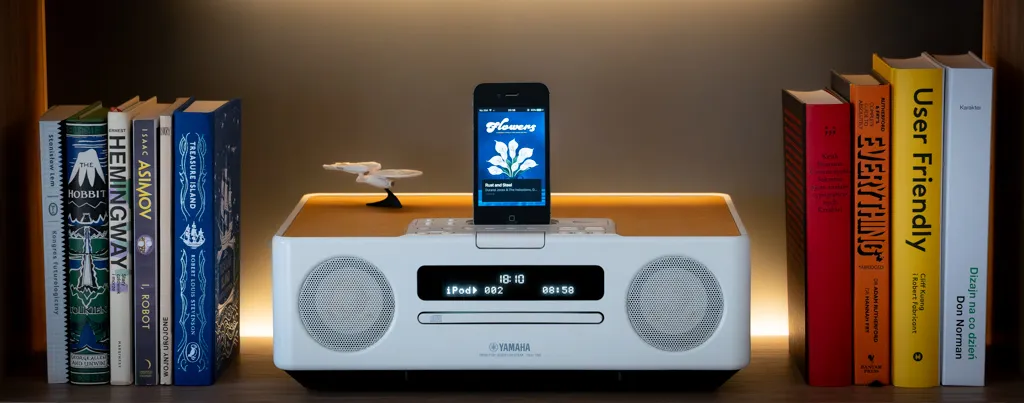
I have a Yamaha TSX-130 mini audio system. Sounds great, looks great — but its only digital input is a 30-pin Apple dock connector. Slot in an old iPhone 4 and it becomes a proper audio receiver. Problem: iOS 9.3.6 can’t run Spotify, Apple Music, or YouTube Music anymore. The app stores abandoned it years ago.
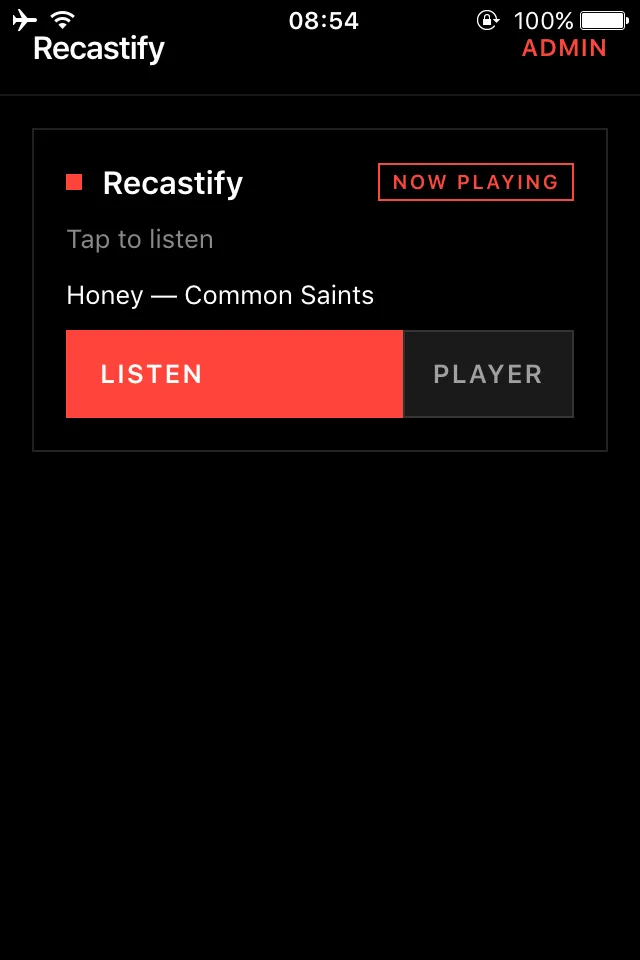
So I built Recastify: a self-hosted Docker stack that catches AirPlay from any modern device, re-encodes it on the fly, and streams it to the docked phone’s web browser. No jailbreak, no sideloading, no ancient apps.
The Plumbing
Everything runs inside a single Docker container:
                             ┌────────────────────────────────┐
                             │ Recastify docker container     │
                             │                                │
   ┌─────────────────────┐   │ ┌─────────────────────┐        │
   │  AirPlay Source     │   │ │   shairport-sync    │        │
   │ (iPhone / Mac / TV) ├───┼►│ Receives AirPlay    │        │
   └─────────────────────┘   │ └──────────┬──────────┘        │
                             │            │                   │
                             │            │ Raw PCM Output    │
                             │            v                   │
                             │ ┌─────────────────────┐        │
                             │ │ UNIX Named Pipe     │        │
                             │ │   /tmp/audiofifo    │        │
                             │ └──────────┬──────────┘        │
                             │            │                   │
                             │            │ PCM Stream        │
                             │            v                   │
                             │ ┌─────────────────────┐        │
                             │ │       ffmpeg        │        │
                             │ │ Encode MP3 320kbps  │        │
                             │ └──────────┬──────────┘        │
                             │            │                   │
                             │            │ MP3 Stream        │
                             │            v                   │
                             │ ┌─────────────────────┐        │
                             │ │      Icecast        │        │
                             │ │ Streaming Server    │        │
                             │ └──────────┬──────────┘        │
                             │            │                   │
                             │            │ HTTP Audio Stream │
                             │            v                   │
                             │ ┌─────────────────────┐        │    ┌─────────────────────┐
                             │ │ Local Web Page      │        │    │ Docked iPhone 4     │
                             │ │ <audio> tag player  ├────────┼──► │ Safari / Web App    │
                             │ └─────────────────────┘        │    └─────────────────────┘
                             │                                │
                             └────────────────────────────────┘
- You AirPlay audio to the server —
shairport-synccatches it. shairport-syncwrites raw PCM into a UNIX named pipe.ffmpegreads the pipe, encodes to MP3 at 320 kbps, feedsIcecast.- The docked iPhone 4 opens a local web page and plays the Icecast stream via a plain
<audio>tag.
The Legacy iOS Fight Club
iOS 9 Safari in standalone PWA mode is a minefield of undocumented behaviors. Here’s what bit me.
1. Audio session unlock
Modern browsers let audio play after any user gesture. Standalone Home Screen PWAs on iOS are stricter: if you don’t warm up the audio context on the first tap, Safari permanently blocks future play calls.
Fix: fire a tiny silent WAV chunk on connect, before touching the real stream.
function tapFetch() {
    // iOS standalone mode requires audio context unlock on first gesture
    audio.src = 'data:audio/wav;base64,UklGRiQAAABXQVZFZm10IBAAAAABAAEAQB8AAIA+AAACABAAZGF0YQAAAAA=';
    audio.play();
    // ...then fetch the actual stream
}
2. Cross-origin silent mute
The web UI ran on port 3000, Icecast on 8100. Different origins → iOS standalone sandboxes the webview and silently sets volume to zero. No error, no warning. The stream plays fine in Safari; the PWA just… doesn’t.
Fix: a same-origin stream proxy in the C# controller. /api/bridges/{id}/stream opens an internal connection to Icecast and pipes the bytes back on port 3000.
(Update: The cross-origin playback seems to work now, so maybe there was another issue at play. Regardless, the proxy remains available in the configuration, it’s just disabled by default.)
3. The physical mute switch
Even with the proxy working, the phone sometimes played pure silence. Turns out: normal Safari ignores the hardware silent switch for media; standalone PWAs respect it. Phone on vibrate → stream volume is zero. No log entry anywhere.
A flick of the silver side switch solved what looked like a software bug.
4. Named pipe recycling
When AirPlay pauses, ffmpeg starves, loses Icecast, and exits. My first fix: delete and recreate the named pipe (rm + mkfifo). Bad idea — shairport-sync still held the write fd of the old unlinked pipe and kept screaming bytes into the void, while ffmpeg blocked on the new (empty) inode forever.
Fix: never delete the pipe. Let ffmpeg crash, sleep 3 seconds, reopen the existing pipe. One-liner loop.
ES5 Frontend + Native AOT Backend
The iOS 9 Safari constraint means no ES6 modules, no const, no arrow functions, no fetch. The UI is pure ES5 — XMLHttpRequest, callback loops, basic CSS.
The C# backend compiles via Native AOT on a temporary Alpine SDK stage, producing a single self-contained Linux binary with no .NET runtime dependency. The final image bundles avahi, mosquitto, icecast, shairport-sync, ffmpeg, and that binary together.
One docker-compose.yml, paste and go.
Outcome
It’s working fine, im streaming music to my Yamaha with iPhone 4 sitting in the dock every now and then.
If you want to try this yourself, you can find full setup and installation instructions on GitHub.


Dim screen issue: If you have one of these systems and your display is completely dead or barely visible, check out this BadCaps forum thread. It covers the exact hardware fix needed to bring the screen back to life. Mine was totally dark before replacing the caps.